Starting with V10.0, Cora SeQuence has been renamed to Cora Orchestration.
V8.5 and later
Cora SeQuence enables you to organize workflows into categories, which helps you to maintain a neater, more orderly environment. It also helps multiple teams and users to manage their workflows.
NOTE
When you delete a category, the workflows that were in the categories are not deleted.
Create a Workflow Category
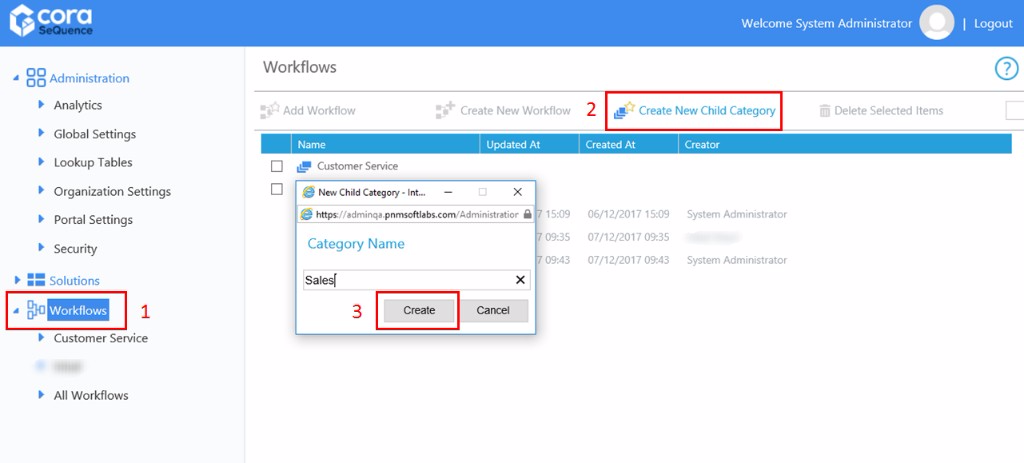
- In the Administration console, click Workflows.
- From the action bar in the Workflows area, click Create New Child Category.
- Type a name for the category, and click Create.
Add Workflows to a Category
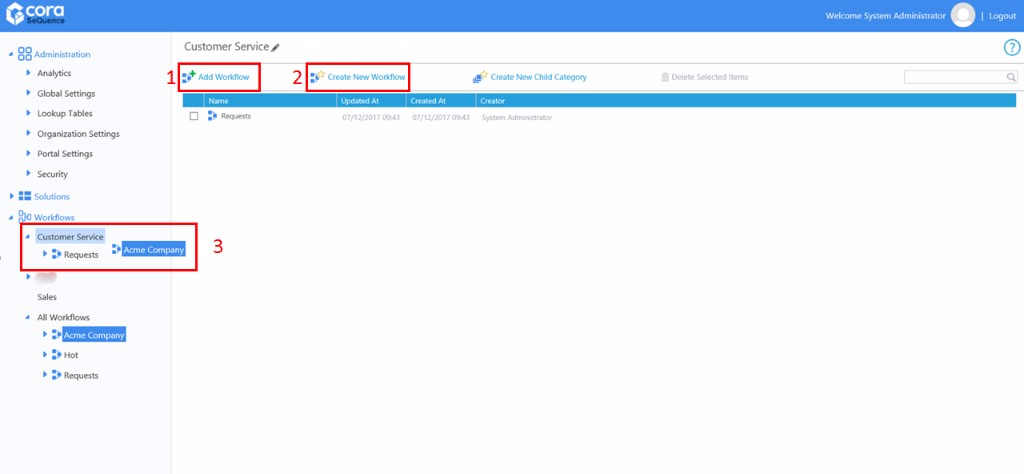
- From the Workflow tree, click the category.
- Select the workflows you want to add to the category.
- Click Add Workflow.
- Click Create New Workflow.
- From the Workflows tree, drag-and-drop the workflows to the category.
Import a Workflow to a Workflow Category
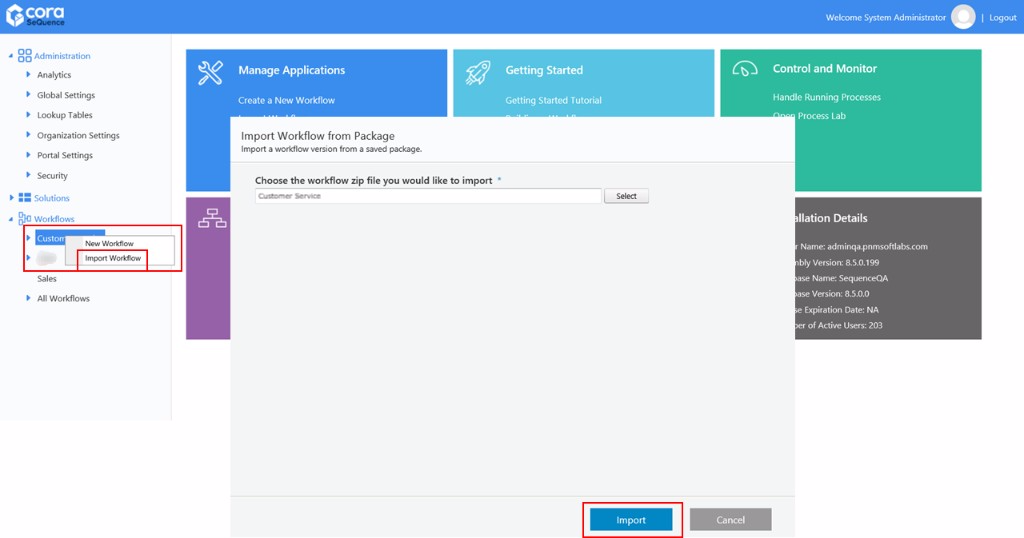
- Right-click the category you want to add a workflow to.
- Select Import Workflow.
- Browse for the workflow you want to import, and click Import.
Administration Site Configuration
- Navigate to Administration > Global Settings > Application Variables.
- Add a new record with the following details:
- Key:
Portal.Components.Workflows.Categories - Value:
True
- Key:
v8.4 and earlier
Cora SeQuence enables you to organize workflows into categories, which helps you to maintain a neater, more orderly environment. It also helps multiple teams and users to manage their workflows.
Note: When you delete a category, the workflows that were in the categories are not deleted.
Create a Workflow Category
- In the Administration console, click Workflows.
- From the action bar in the Workflows area, click Create New Child Category.
- Type a name for the category, and click Create.
Add Workflows to a Category
- From the Workflow tree, click the category.
- Add workflows to the category using one of the following methods.
- Click Add Workflow.
- Click Create New Workflow.
- From the Workflows tree, drag-and-drop the workflows to the category.